Overview
Fast video segmentation that reuses the previous frame’s max-flow solution instead of solving every frame from scratch.
This is a restructured, beginner-friendly version of the implementation for the paper “Predictive Flows for Faster Ford-Fulkerson” by Yuyan Wang, Siddhartha Banerjee and David P. Williamson. On the birdhouse sequence, the warm start is 31% to 42% faster than solving every frame from scratch at 60×60 and 120×120 (it is slightly slower at 30×30). The numbers were measured on a single machine.
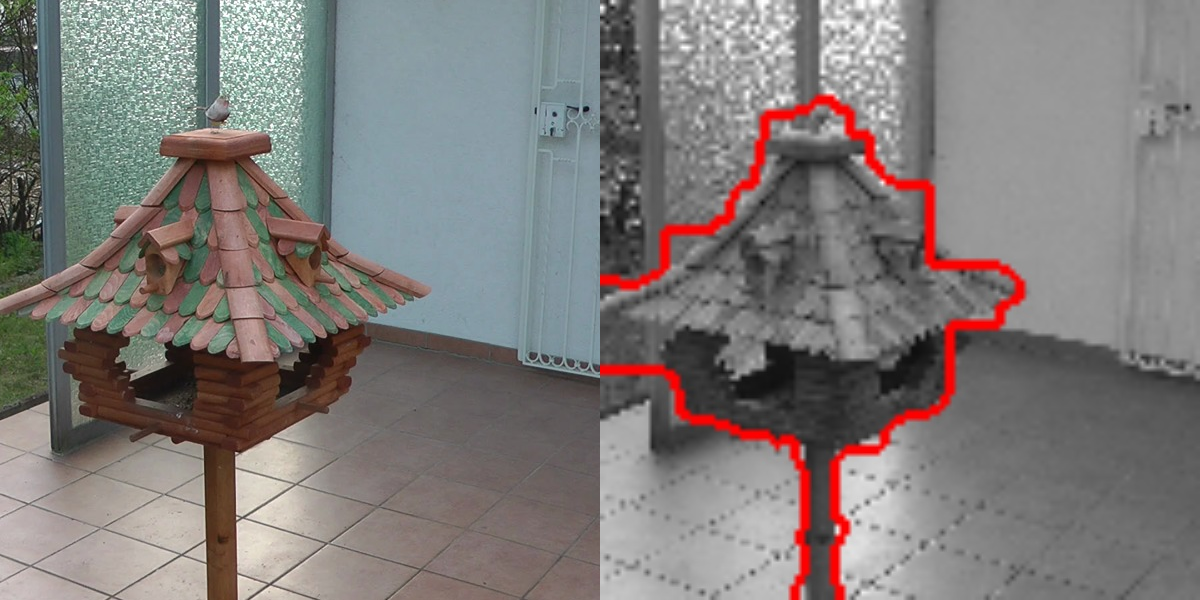
Background. In grad school I took a course on advanced algorithms, where we explored learning-augmented algorithms, also known as algorithms with predictions. Each of us had to pick a research paper, study it in depth and present it. I chose this one, and after understanding the ideas and running the authors’ code, I decided to clean up the structure and documentation of the project, so that others can follow the work and see how elegant the design of the algorithm is.
The idea
Image segmentation is a classic computer vision problem: given an image, separate the object from the background. One elegant way to do it is to turn the image into a graph, with one node per pixel, and look for the cheapest way to cut that graph in two. That cut traces the boundary between the object and the background, and finding it is a max-flow / min-cut problem, the kind of problem Ford-Fulkerson is built to solve.
Now picture a video instead of a single photo. From one frame to the next, almost nothing changes. The camera drifts a little and the light shifts slightly, but the scene stays essentially the same.
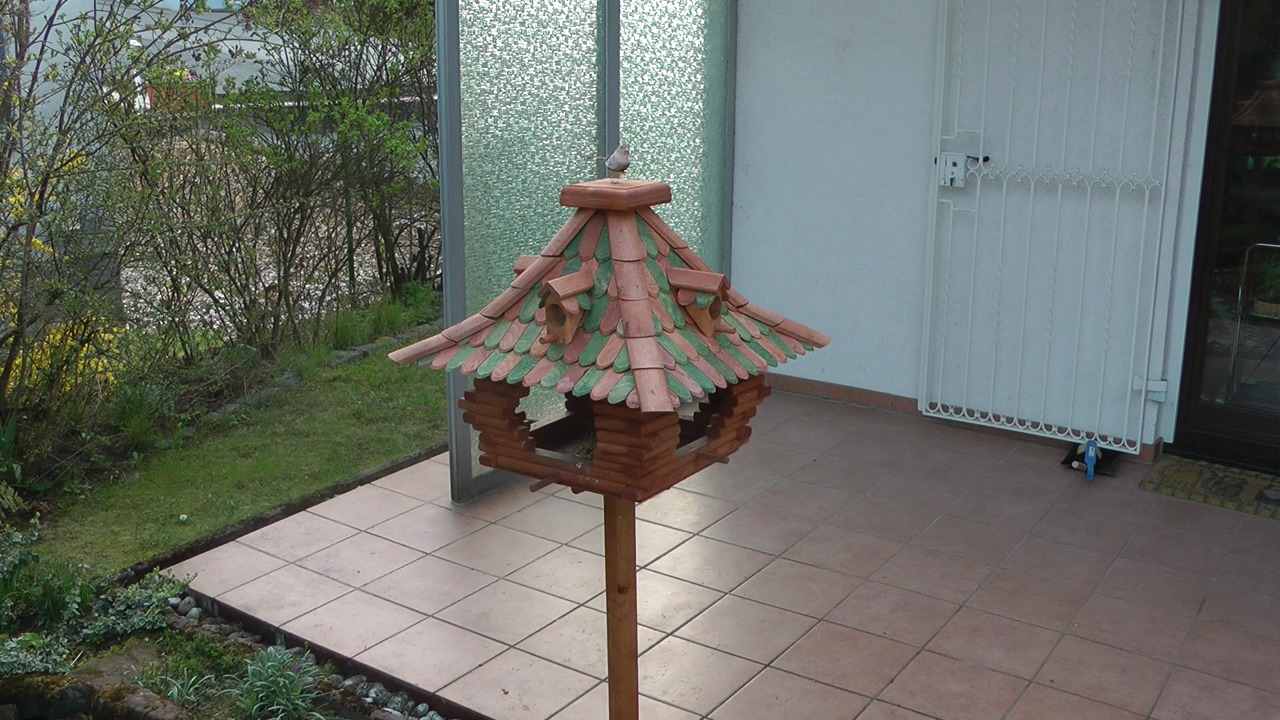
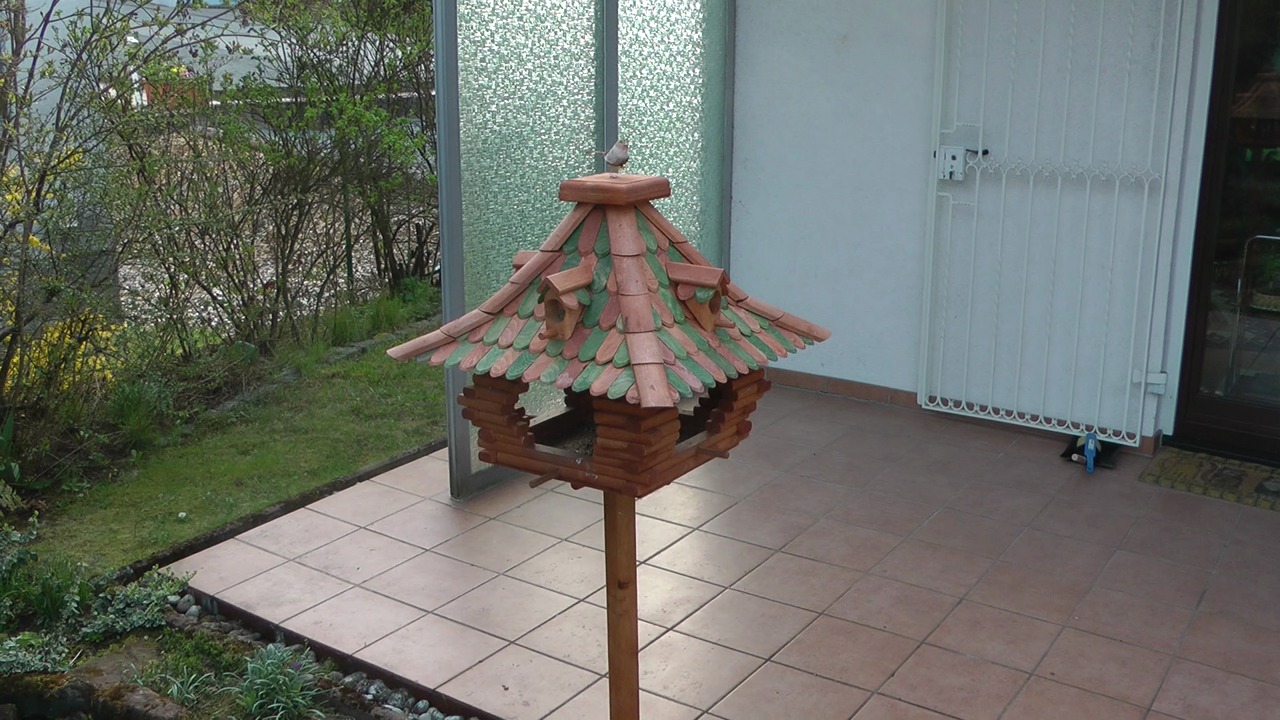
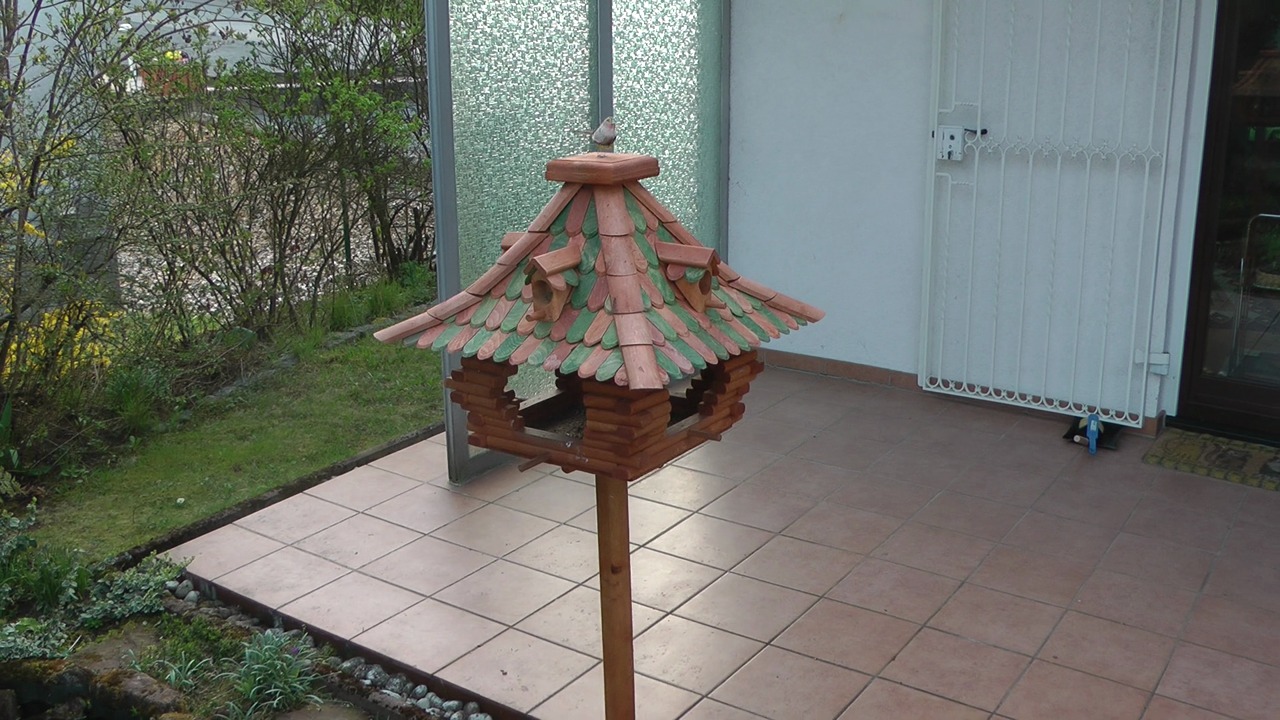
A classical algorithm throws all of that away. It solves every frame from scratch, carefully re-deriving an answer that is almost identical to the one it found a moment earlier. The warm-start approach does not waste that effort. It takes the solution of the previous frame, treats it as a prediction for the current one, and only fixes the parts that actually moved. That is the whole point of a learning-augmented algorithm: a good prediction buys you speed, and here it costs nothing in accuracy, because the final result is the same as the one you would have found the slow way.
Key terms
| Term | Meaning |
|---|---|
| Graph | Every pixel becomes a node, and neighbouring pixels are connected by edges. Two special nodes are added: the source, which represents the object, and the sink, which represents the background. |
| Capacity | The amount of flow an edge can carry. Edges between pixels of similar brightness get a high capacity, and edges between very different pixels get a low one, so the cut tends to follow the edges of the object. |
| Max flow | The largest total amount of flow that can be sent from the source to the sink without exceeding the capacity of any edge. |
| Min cut | The cheapest set of edges whose removal separates the source from the sink. It is obtained from the max flow and traces the boundary between object and background. |
| Seeds | Pixels you mark by hand as object or background, so the algorithm knows what you want to separate. |
| Cold start | Computing the max flow from scratch, starting from zero flow. |
| Warm start | Computing the max flow starting from a prediction, which here is the max flow of the previous frame. |
How the warm start works
For every new frame, warmstart.py takes the previous frame’s max flow and reshapes it into the one the new frame needs. Each solved frame then feeds into the next, so the whole sequence is handled as one continuous chain. It happens in three steps:
- Shrink the old flow to fit the new frame (
RoundDown). The new frame looks slightly different, so some of its edge capacities are lower than before. Wherever the old flow no longer fits, it is cut down to the new capacity. The result respects every capacity, but it leaves some pixels out of balance: they have more flow coming in than going out (an excess), or more going out than coming in (a deficit). - Restore the balance (
FeasProj). The code looks for short paths from pixels with an excess to pixels with a deficit, and moves flow along them until every pixel is balanced again. The paper calls this the feasibility projection. - Finish with Ford-Fulkerson (
augmentingPath). Starting from this balanced flow, Ford-Fulkerson keeps finding paths with spare capacity and pushing more flow through them until none are left. At that point the flow is maximal, and the min cut gives the segmentation.
To see why this pays off, here is what step 1 leaves behind when the flow of frame 001 is reused for frame 002:
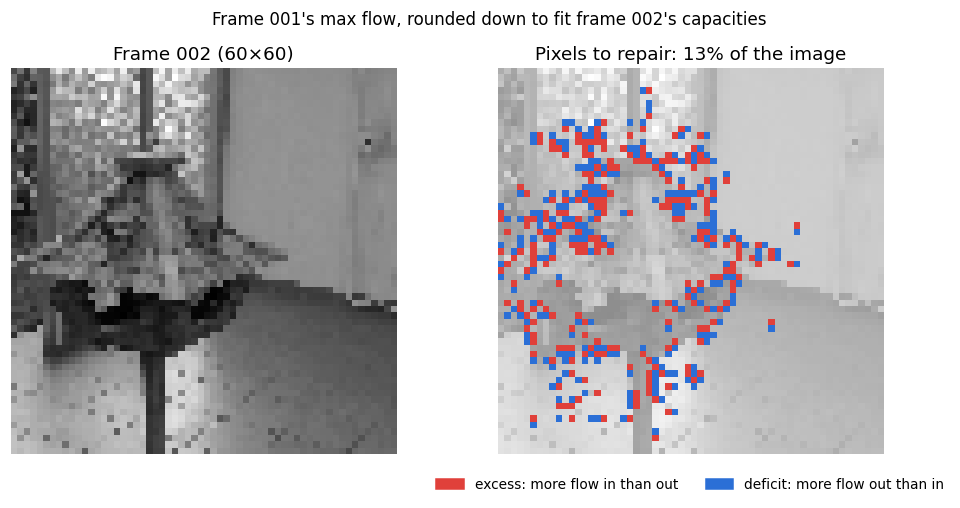
This is the key insight of the paper: the running time depends on how far the prediction is from the correct answer, not on the sheer size of the graph. Consecutive frames give close predictions, so there is only a thin strip of work left to do, however large the image is.
Results
Example output
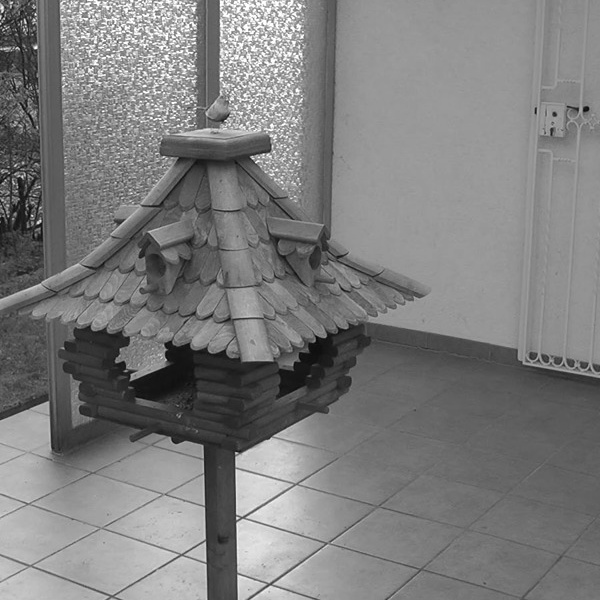
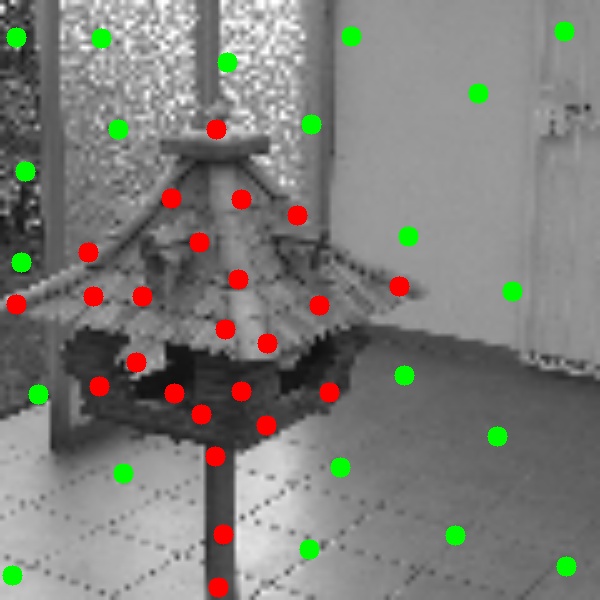
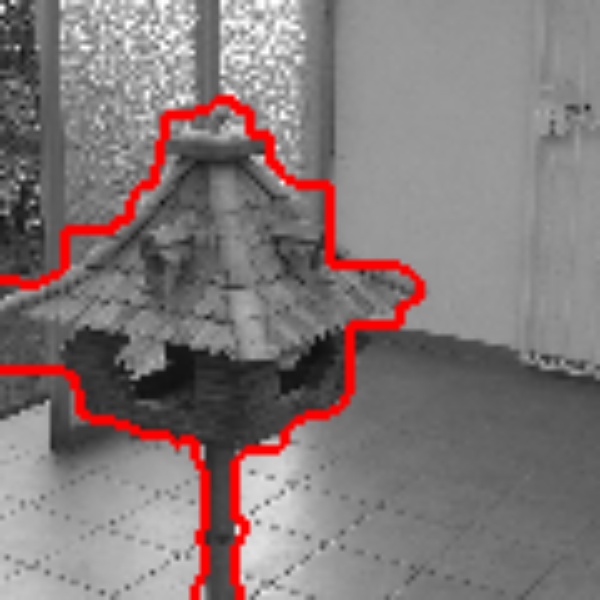
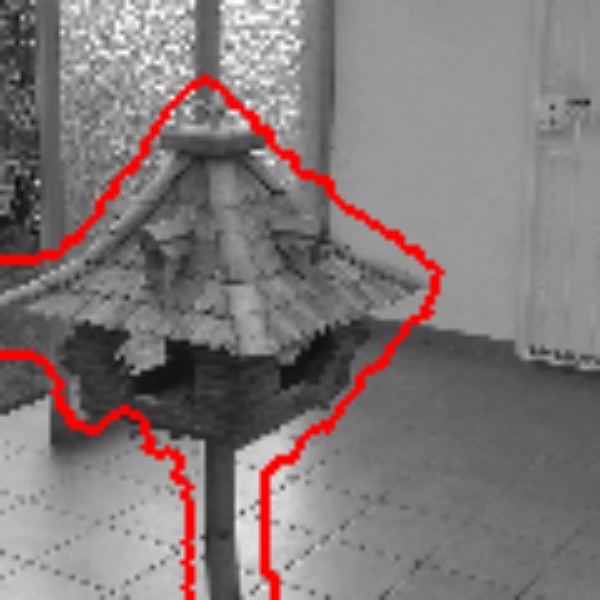
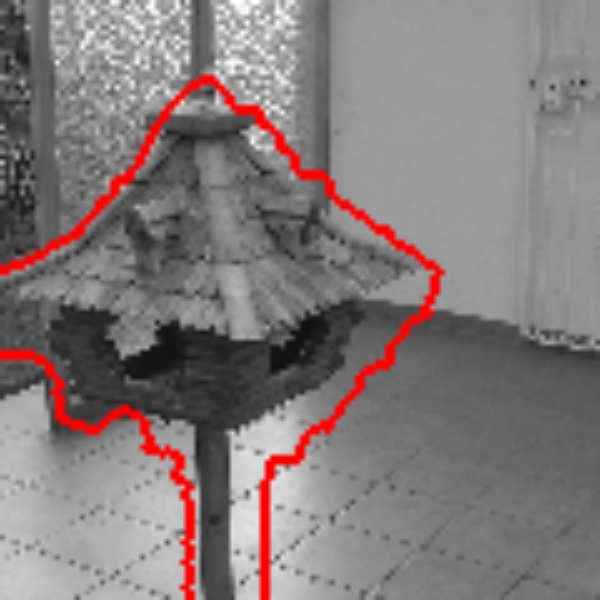
The images below come from running the code with -s 120. The seeds were placed only once, on the first frame, and the boundary keeps following the birdhouse as the camera moves around it.
Speed
These results are for the birdhouse group, averaged over 10 runs of the full sequence on a single machine.
| Image size | From scratch | Warm start | Difference |
|---|---|---|---|
| 30×30 | 0.16 s | 0.17 s | 7% slower |
| 60×60 | 2.51 s | 1.46 s | 42% faster |
| 120×120 | 20.7 s | 14.3 s | 31% faster |
On the smallest images the warm start is slightly slower, because the setup cost outweighs the savings. On the larger images it is clearly ahead, running 31% to 42% faster.
One detail is worth a second look: the biggest win is at 60×60, not at the largest size. That follows the paper’s own logic. The larger the image, the more pixels a small camera move disturbs, so the prediction drifts a little further from the correct answer and leaves more to repair. The share of out-of-balance pixels climbs from 24% at 30×30 to 40% at 120×120. The warm start still wins comfortably at 120×120; it simply has more cleanup to do.
Where the savings come from
The path statistics at 120×120 show it:
| From scratch | Warm start | |
|---|---|---|
| Number of paths | 1,955 | 1,919 to restore the balance, plus 43 to finish |
| Average path length | 28 edges | 14 edges to restore the balance |
Both approaches need roughly the same number of paths, but the warm start’s paths are about half as long. Each one only repairs a small, local imbalance near where the image changed, instead of carrying flow all the way across the image.
Run it yourself
You need Python 3.8 to 3.11, since the pinned numpy==1.24.4 does not install on Python 3.12 or newer. The segmentation step opens an interactive window where you mark the seeds with your mouse, so the code has to run on your own machine, not on a remote server.
pip install -r requirements.txt
The project is four commands, each feeding into the next. You bring the frames and one set of seeds, and you get back a segmentation of every frame plus a report on how much time the warm start saved. To try another group, replace birdhouse with head or shoe.
# 1. crop the images
python image_cropping.py -g birdhouse

# 2. segment the first frame
python imagesegmentation.py -i birdhouse_001_cropped.jpg -g birdhouse -s 30 -l no

# 3. warm-start the whole sequence
python warmstart.py -g birdhouse -s 30

# 4. generate the report
python average.py -g birdhouse
- Crop the images. Crops every frame, converts it to grayscale and saves the results in a new folder.
- Segment the first frame. This is the only step that needs you: click or drag to place red dots on the object, press ESC, then place green dots on the background and press ESC again. These are the seeds, and without them the graph cut cannot know what you want to separate. You do this once, and the seeds are saved and reused for every other frame.
-sresizes the image before building the graph (30, 60 or 120); larger sizes give sharper results but take much longer. - Warm-start the sequence. Use the same
-svalue as in step 2. The first frame is solved from scratch, the second is warm-started from the first, the third from the second, and so on. Every frame is also solved from scratch so the two can be compared, and the whole sequence is run 10 times to smooth out timing noise. - Generate the report. Averages the runs into two files: the average time per approach (
ff,warm_start,feas_projand theratio), and the average number and length of the paths.
The images come from the image sequence dataset of the Pattern Recognition and Image Processing group at the University of Freiburg. The paper uses four groups (BIRDHOUSE, HEAD, SHOE and DOG); the repo includes the first three, with 10 or 11 consecutive frames each, and leaves out DOG because it is a 4.8 GB video.
Changes from the original
Besides restructuring the project and rewriting the documentation, there is one change to the code itself. The original read the frames in whatever order os.listdir returned them, which is arbitrary, so a frame was often warm-started from one that was not next to it in the sequence. Sorting the frames by file name fixes this, and in a side-by-side test at 60×60 it raised the warm-start speedup from about 24% to 42%. The algorithm itself is unchanged.
Credits
This work is based on:
- Paper: Predictive Flows for Faster Ford-Fulkerson by Yuyan Wang, Siddhartha Banerjee and David P. Williamson.
- Original repository: wang-yuyan/warmstart-graphcut-algorithms-pulic.
- Images: the University of Freiburg image sequence dataset linked above.
The full code, with detailed comments, is on GitHub.